












Q
How do I purchase a parking ticket?
A
Please purchase tickets through F-Ticket.
Ordinary carParking ticket Wheelchair parking ticket
Purchased together with wheelchair seating. Wheelchair parking ticket
Additional purchase after purchasing wheelchair accessible seating
Purchase of a regular parking ticket
- [Press Parking Ticket]
![[駐車券]押下](data:image/gif;base64,R0lGODlhAQABAAAAACH5BAEKAAEALAAAAAABAAEAAAICTAEAOw==)
- Select the match date you wish to purchase tickets for.
- Select the parking space you wish to purchase.
- Purchase a parking ticket
Clicking "Confirm Purchase" completes the payment.
![[駐車券]押下](/media/sites/2/company/contact/ticket17/31.jpg)
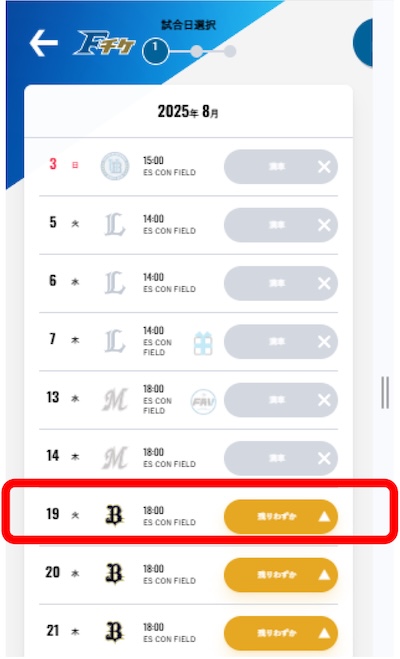
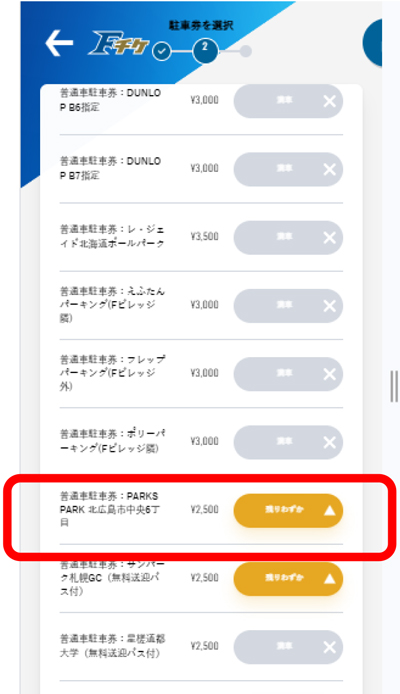
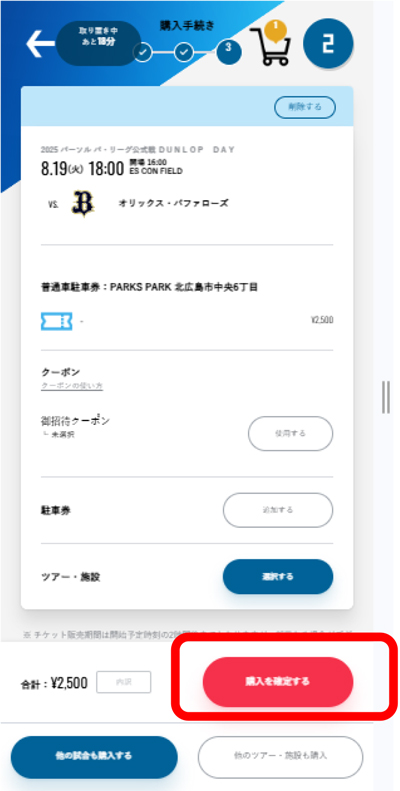
Purchase of a [wheelchair parking ticket] (purchase simultaneously with wheelchair seating).
- [Select Seats and Purchase]
- Select your preferred match date.
* If you cannot select it, it is sold out.
- Select the floor you wish to purchase from (1st floor or 2nd floor).
- Select your desired seat location (1st floor to 2nd floor).
- Wheelchair seating arrangement
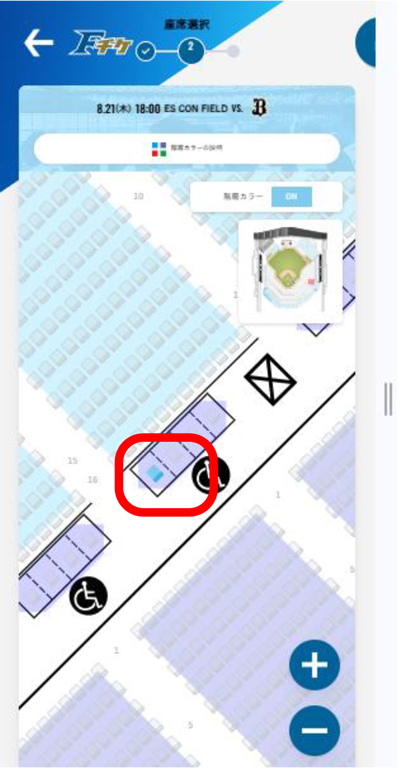
Wheelchair seat location
* Press button to display in small window
- Click on your desired area to enlarge.
The blue square indicates an available seat that can be selected.
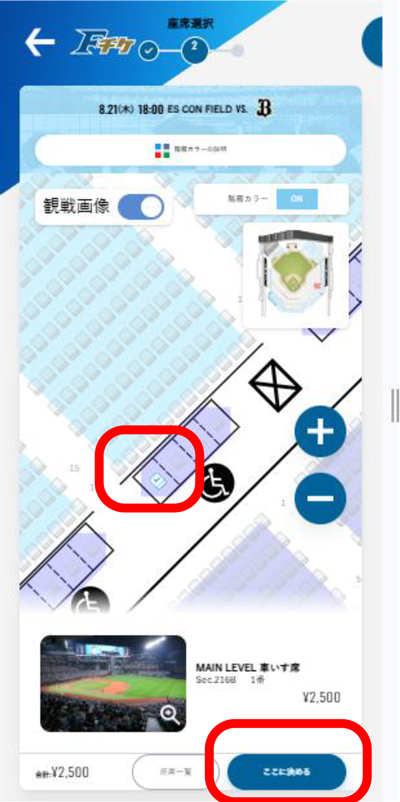
- Select an available wheelchair seat.
A checkmark will appear in the white square, replacing the blue square. Once selected, press the "Confirm Here" button at the bottom of the screen.
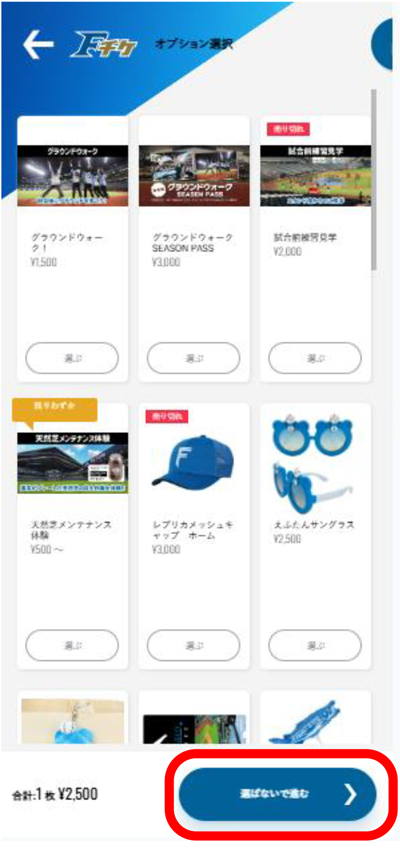
- Option Selection
If you have a preference, click [Select].
If none are available, click "Proceed without selecting".
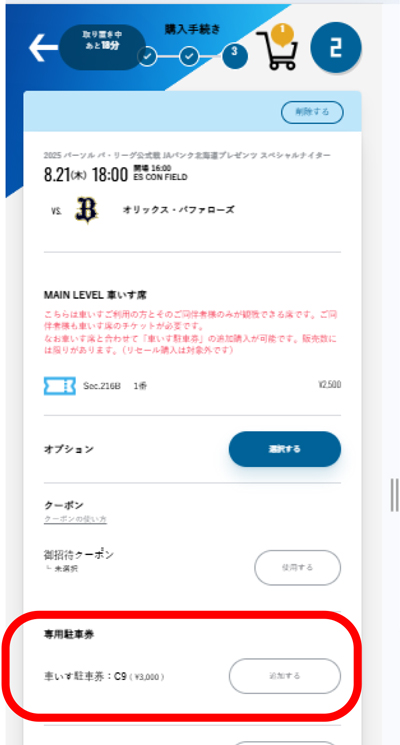
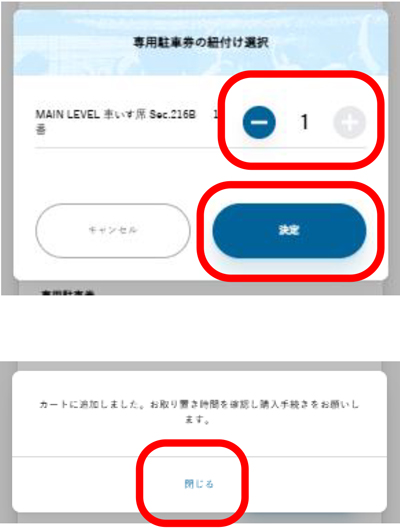
- Purchase of wheelchair parking ticket
Only available when purchasing wheelchair accessible seating.
Parking tickets can be purchased at the same time.
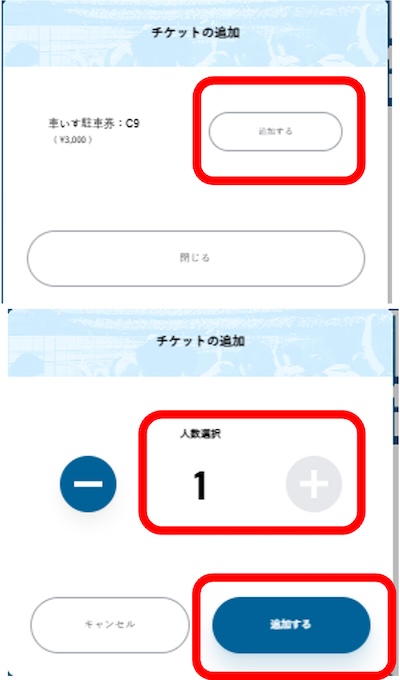
- Number of wheelchair parking tickets to select
Only one device can be purchased per account.
Add more units, press [Confirm]
* If you have already purchased a separate parking ticket for the same match day, you cannot purchase a wheelchair parking ticket.
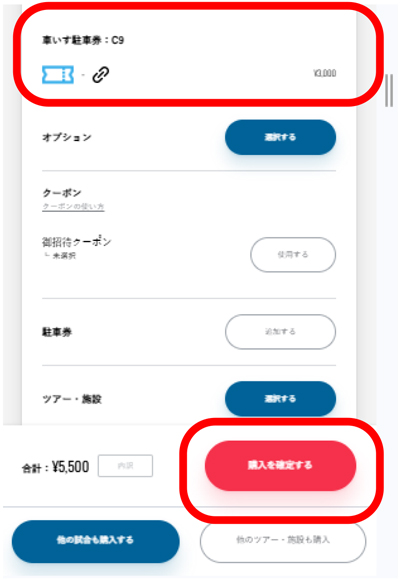
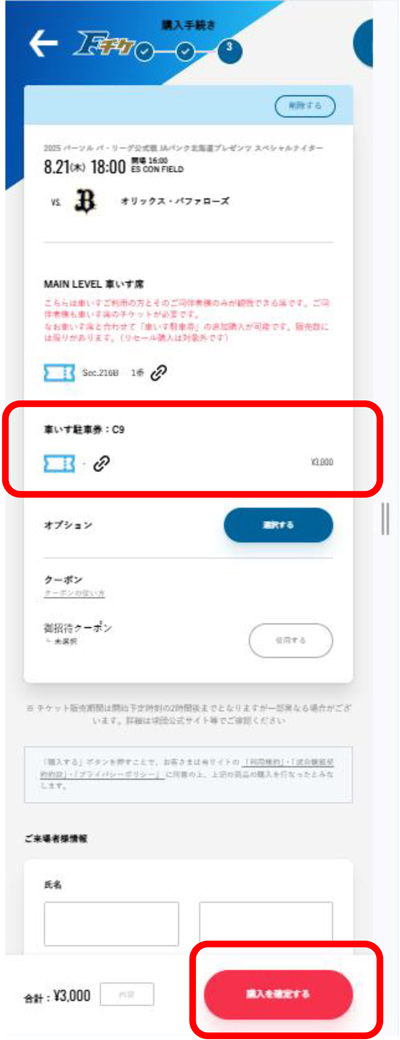
- Complete the purchase of the wheelchair parking ticket.
Once you've confirmed that the wheelchair parking pass has been added, press the red "Confirm Purchase" button to complete the payment.
![[Select Seats and Purchase]](/media/sites/2/company/contact/ticket17/35.jpg)
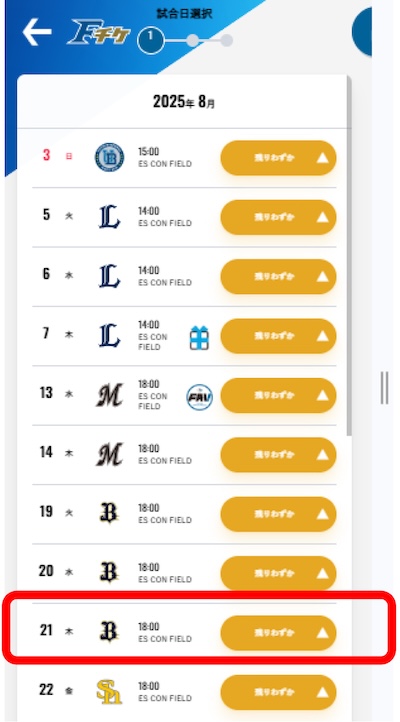
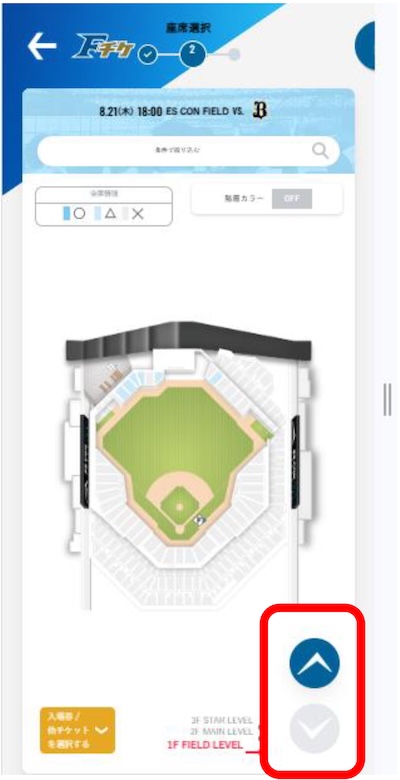
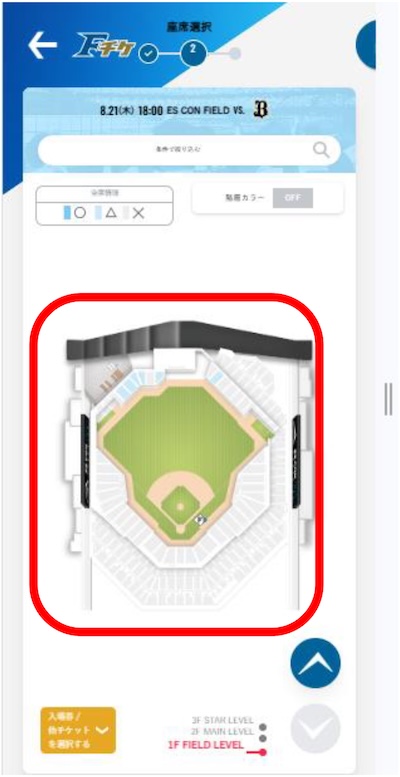
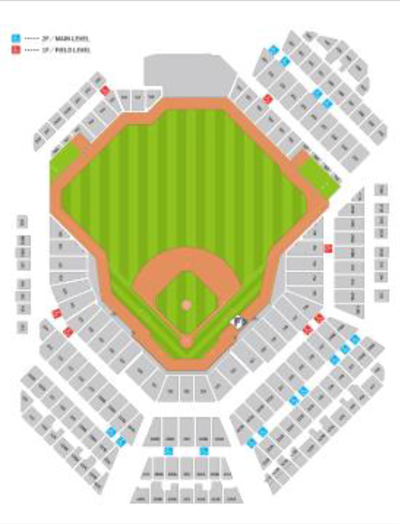
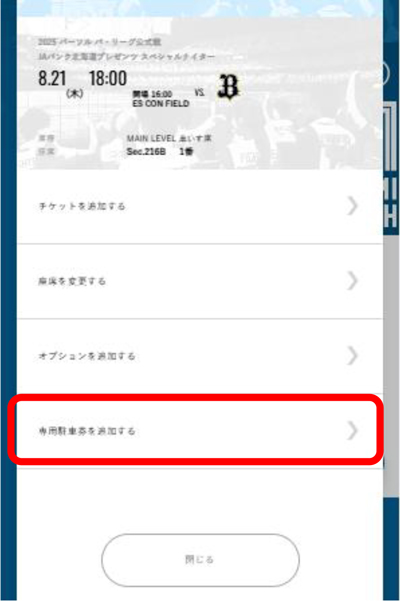
Purchase of a [wheelchair parking ticket] (additional purchase after purchasing a wheelchair seat)
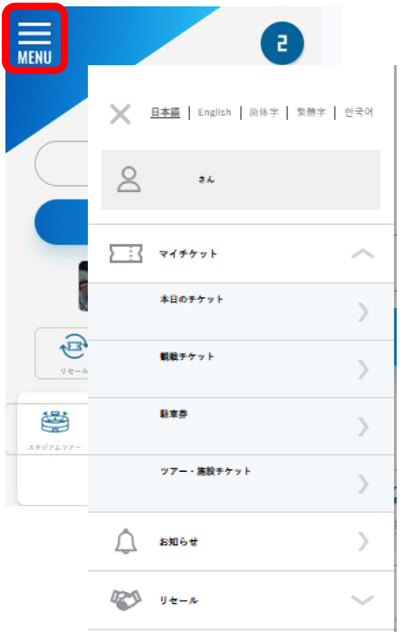
- Check your purchased tickets
Select My Tickets
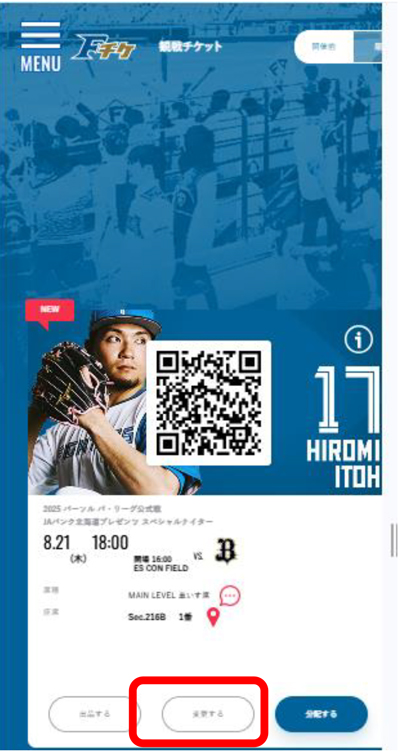
- Show purchased wheelchair seats
Click [Change]
- [Add a dedicated parking ticket]
Press
- Add the number of parking tickets.
To add more units, click [Add].
* If you have already purchased a separate parking ticket for the same match day, you cannot purchase a wheelchair parking ticket.
- Complete the purchase of additional wheelchair parking tickets.
Once you've confirmed that the wheelchair parking pass has been added, press the red "Confirm Purchase" button to complete the payment.
This question and answer
Was this helpful?
-
yes
-
no
Search by category






If it cannot be resolved
 Hokkaido Nippon-Ham Fighters Co., Ltd.
1 F Village, Kitahiroshima City, Hokkaido 061-1116
 Kamagaya Stadium
459 Nakazawa, Kamagaya City, Chiba Prefecture 273-0118